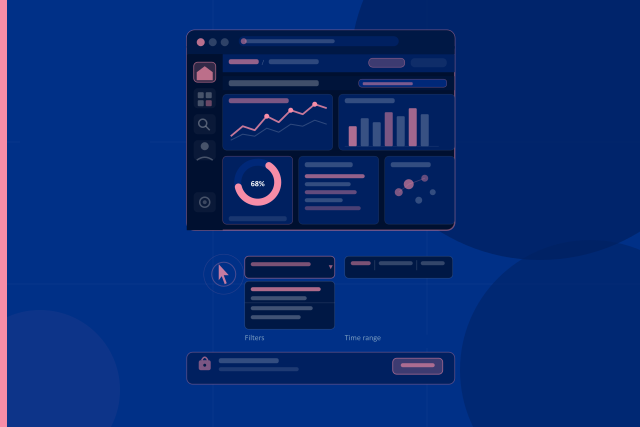
This course introduces learners to the practical use of the LIBECCIO Destination Management Support System (DMSS) — a web-based tourism intelligence platform developed within the Interreg Euro-MED LIBECCIO project.
While the introductory course explains what the DMSS is and why it matters, this course focuses on how users access the platform, navigate its environment, interact with dashboards and reuse dashboard outputs responsibly.
The course is designed for:
-
Public governance actors and destination management organisations who need to access evidence for planning, monitoring and policy support
-
Private-sector bodies and business support organisations who need dashboard-based market and operational intelligence
-
Consultants, academics and researchers who work with structured tourism data for analysis, reporting or advisory purposes
No technical background is required. The course explains the DMSS workflow in practical, non-technical language and supports learners in performing common platform actions such as logging in, finding dashboards, using filters, checking permissions, inspecting values and exporting evidence.
By the end of this course, learners will be able to use the DMSS with confidence in everyday workflows. They will understand how access is granted, how user roles and permissions shape visible content, how dashboards are organised, how filters and time controls affect results, and how dashboard information can be refreshed, inspected and exported for reporting or analysis.
This course prepares learners for more advanced dashboard-specific training, especially the course “Deep Dive into the DMSS Dashboards”, where learners will explore the individual analytical dashboards in greater detail.
Learning Objectives
By completing this course, learners will be able to:
-
Access the DMSS platform using the official URL and assigned credentials
-
Recognise common login, browser, credential and permission-related access issues
-
Explain how users, teams and permissions control what each learner can see or do inside the platform
-
Navigate the Grafana-based DMSS environment using landing dashboards, folders, menus, search and breadcrumbs
-
Understand the difference between administrator views and team-user views
-
Use dashboard filters, variables, toggles and time controls responsibly
-
Recognise how active filters and time ranges affect KPIs, charts, tables and maps
-
Refresh dashboard content appropriately depending on the task
-
Inspect chart values, panel data and dashboard elements before interpreting results
-
Export panel data, images or dashboard configuration while keeping the correct dashboard context
Course Contents
The course is organised into six learning sections, followed by a self-assessment questionnaire:
Section 1 — Course Overview and Learning Roadmap
Introduces the purpose of the course, the practical skills learners will develop, and how this course connects to the wider DMSS e-learning pathway.
Section 2 — Accessing the DMSS: Login and Credentials
Explains how to open the DMSS, use login credentials, confirm successful access and identify common first-access problems.
Section 3 — Users, Teams and Permissions
Explains how administrators create users, assign teams and manage permissions, and how these settings affect dashboard visibility.
Section 4 — Navigating the DMSS Platform
Shows how learners move through the DMSS environment using landing dashboards, folders, regional menus, thematic dashboards, search and breadcrumbs.
Section 5 — Filters, Variables and Time Controls
Explains how dashboard controls define the scope of the data shown, including geographic filters, categorical selectors, toggles, time ranges and refresh controls.
Section 6 — Refreshing, Inspecting and Exporting Dashboard Content
Shows how to update dashboard views, inspect exact values, open panel data, export CSV files and reuse dashboard outputs as evidence in reports or presentations.
Section 7 — Self-Assessment
Allows learners to check their understanding of the main platform actions covered in the course, including access, permissions, navigation, filters, time controls, inspection and export.
Supplementary Reading
Each section is accompanied by a detailed reference presentation for deeper self-study.
These materials provide additional explanation, screenshots, practical guidance and completion criteria for learners who want to review the workflow in more detail after watching the video material.
Prerequisites
It is recommended that learners complete the introductory course “Introduction to the LIBECCIO DMSS” before starting this course.
However, no technical knowledge of Grafana, databases, dashboards or tourism data systems is required.
Learners only need a general understanding of the DMSS purpose and an interest in using tourism intelligence dashboards for destination governance, business support, research or advisory work.
What Learners Will Be Able to Do After This Course
Learners who complete this course will be ready to:
-
Log in to the DMSS and recognise whether access is working correctly
-
Understand why different users may see different dashboards or folders
-
Navigate from the home or landing dashboard to the relevant regional and thematic dashboards
-
Use filters and time controls without misinterpreting dashboard results
-
Inspect values behind charts and tables before quoting or reporting them
-
Export dashboard evidence in a responsible and reproducible way
-
Prepare for dashboard-specific training in the “Deep Dive into the DMSS Dashboards” course
Duration
Approximately 45–60 minutes of video and slide-based learning across six sections, depending on the learner’s pace.
Additional time may be needed for platform practice, self-study using the detailed presentations and completion of any assessment activities.
- Teacher: Christos Alexakos
- Teacher: Nikitas Kalogeropoulos
- Teacher: Panagiotis Kechagias